

Suppose you are buiding a project that you want to provide Docker Container as well so that other team members can use the same project using same machine environment like your product machine:
First I am creating laravel app named MyApp::
# composer create-project laravel/laravel MyApp
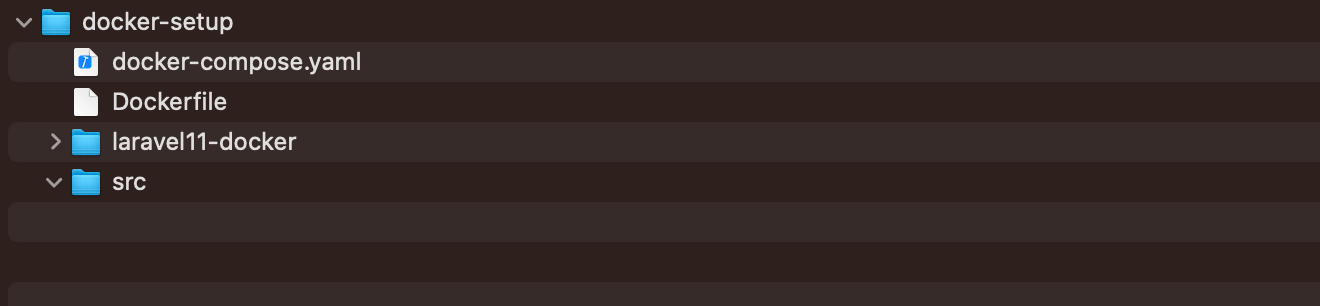
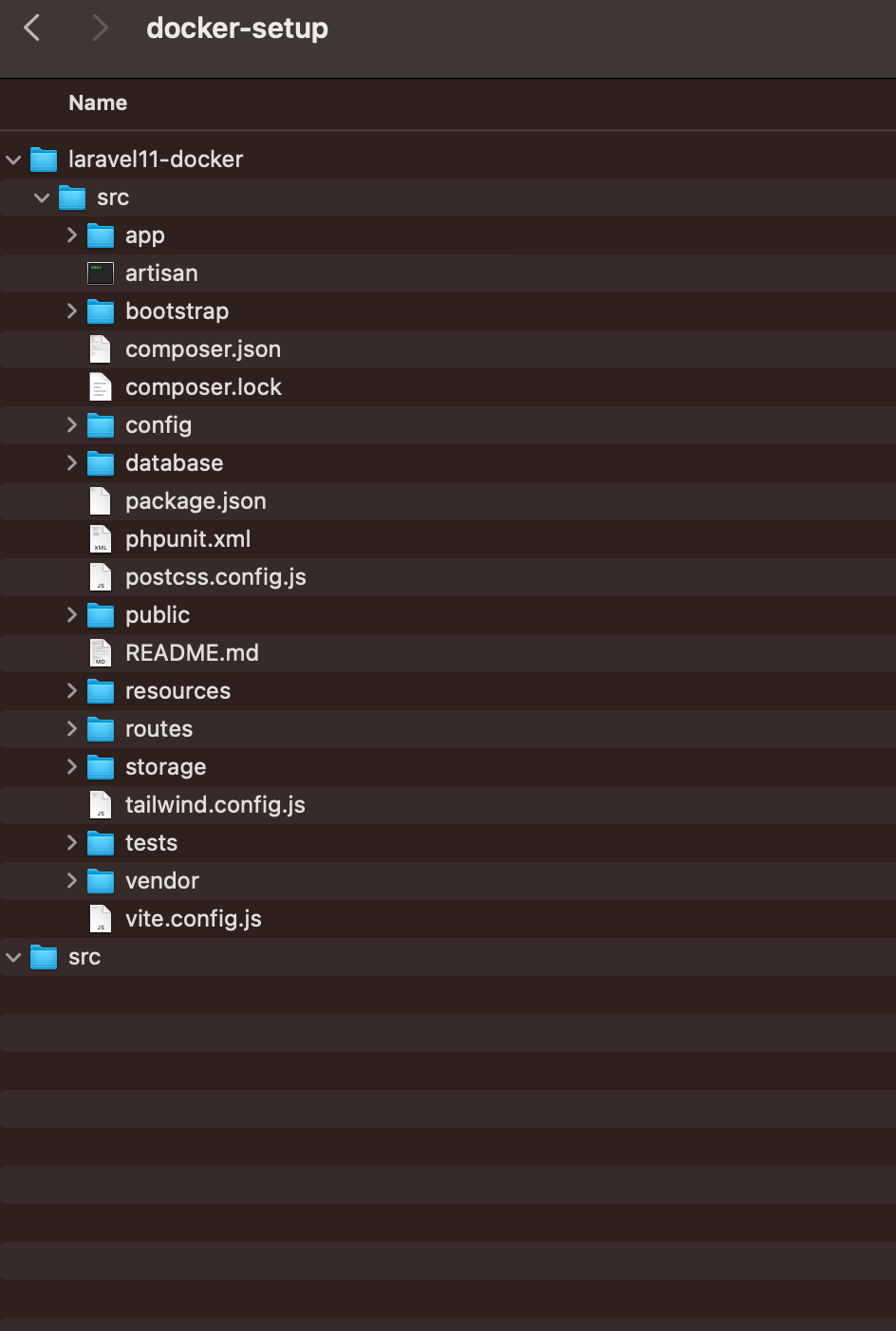
Create a Folder docker-setup, copy the folder MyApp contents to laravel11-docker/src/
Not in the folder but top of that folder, write docker-compose.yaml, Dockerfile:
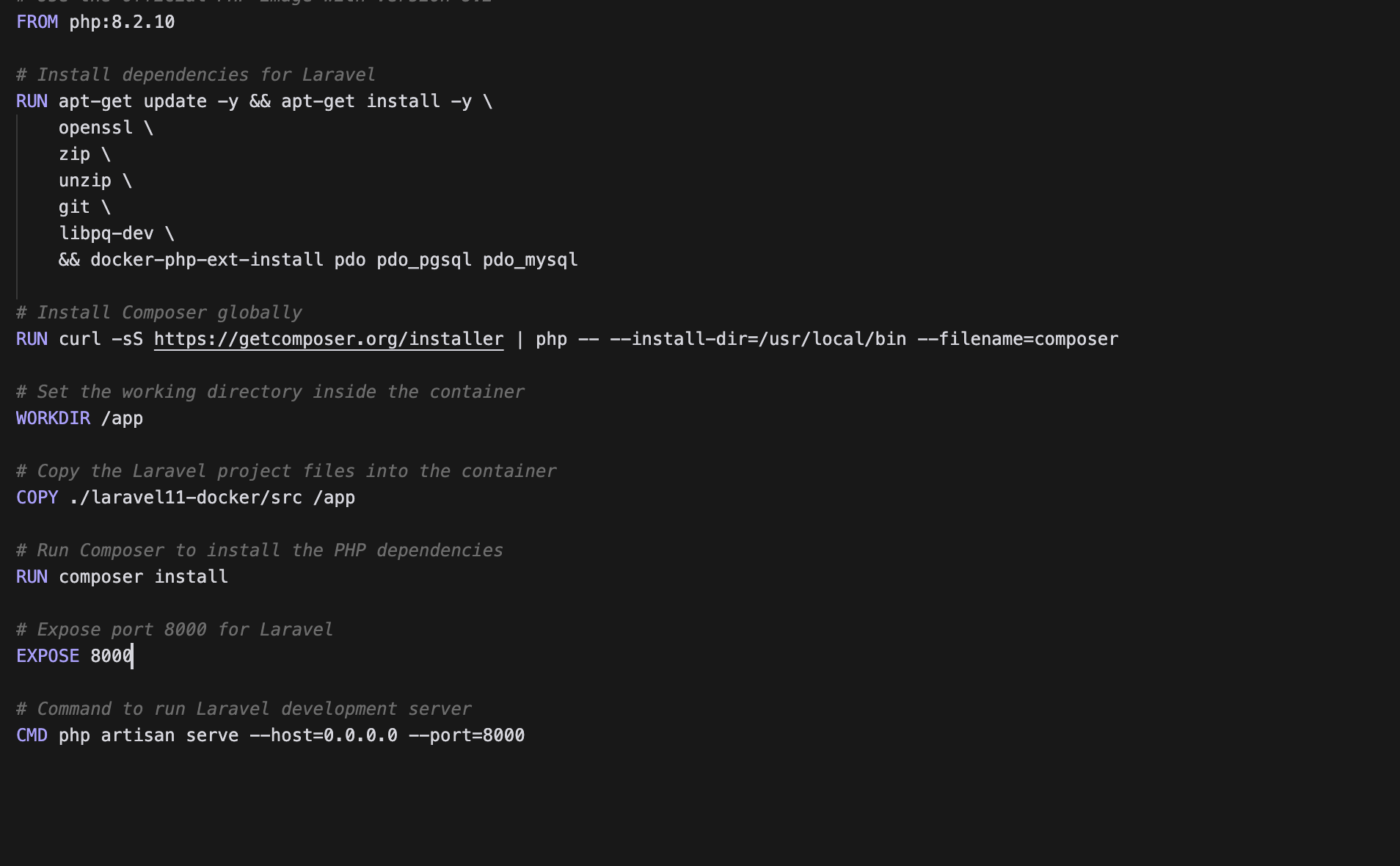
Dockerfile: [github link: https://github.com/arzerin/docker-laravel/blob/main/Dockerfile]
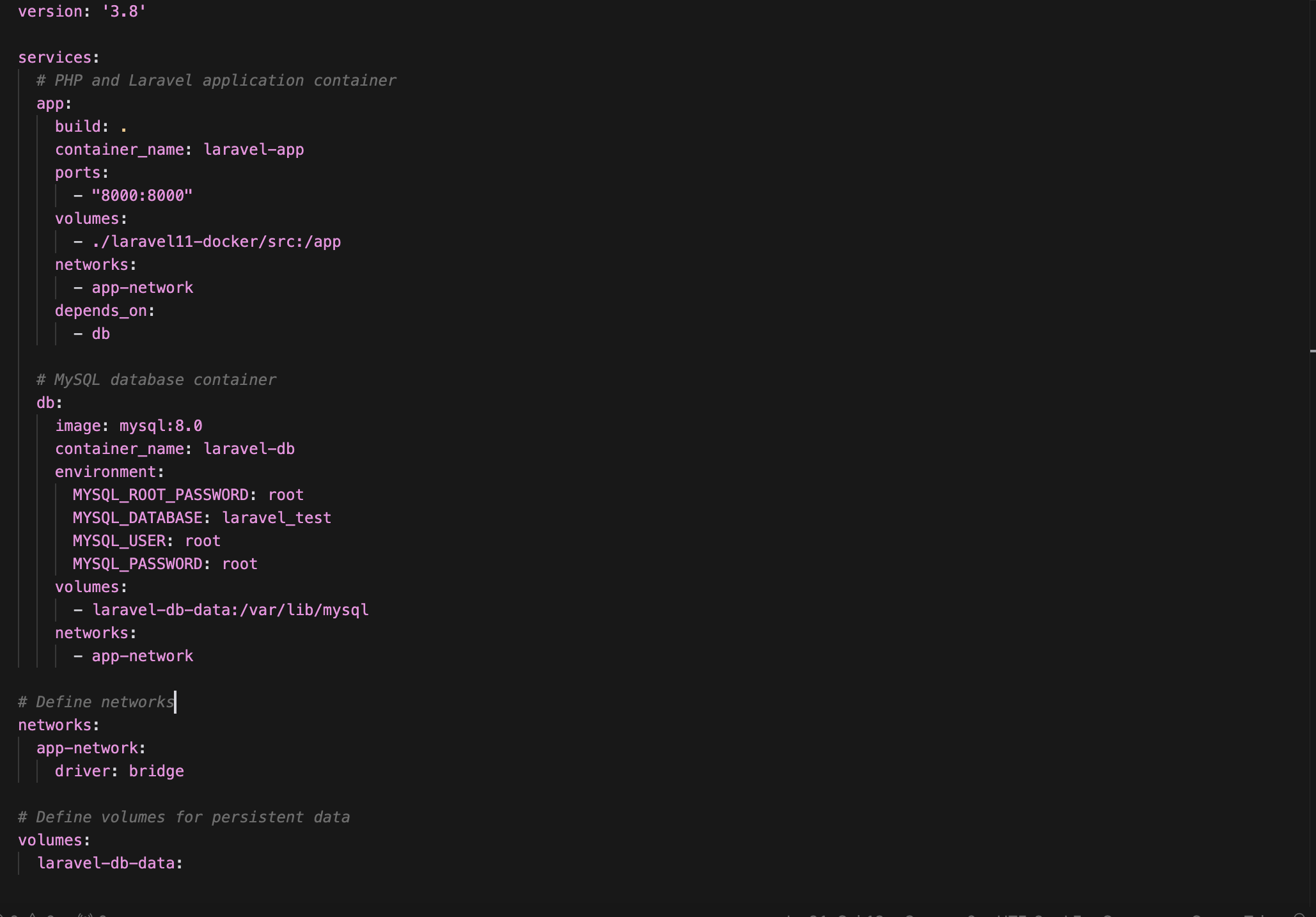
Key Points:
- PHP Version: The Dockerfile uses
php:8.2.10(as per your request). - Dependencies: The required PHP extensions (
pdo,pdo_pgsql, pdo_mysql) are installed. - Composer: Composer is globally installed for dependency management.
- Laravel App: The app is mounted into the
/appdirectory in the container. - PostgreSQL Database: The
docker-compose.ymlincludes a PostgreSQL service (db), which is configured with environment variables for the database. - Ports: The application is accessible at
localhost:8000on your machine.
How to Use:
- Place the
Dockerfileanddocker-compose.ymlat the root of your project. - Ensure your Laravel project is located at
laravel11-docker/src. - Run the following command to build and start the containers:docker-compose up –build
- You should now be able to access your Laravel application at
http://localhost:8000. - To use any command or file in container: docker exec -it laravel-app bash
In the above line “laravel-app ” is the container name. You will be logged in that folder where you can run laravel basic command like php artisan serve etc
github link: https://github.com/arzerin/docker-laravel

There are 0 comments