
HostWay Server
How To Enable WHM Access in Firewall for Hostway Server
November 7, 2015
0

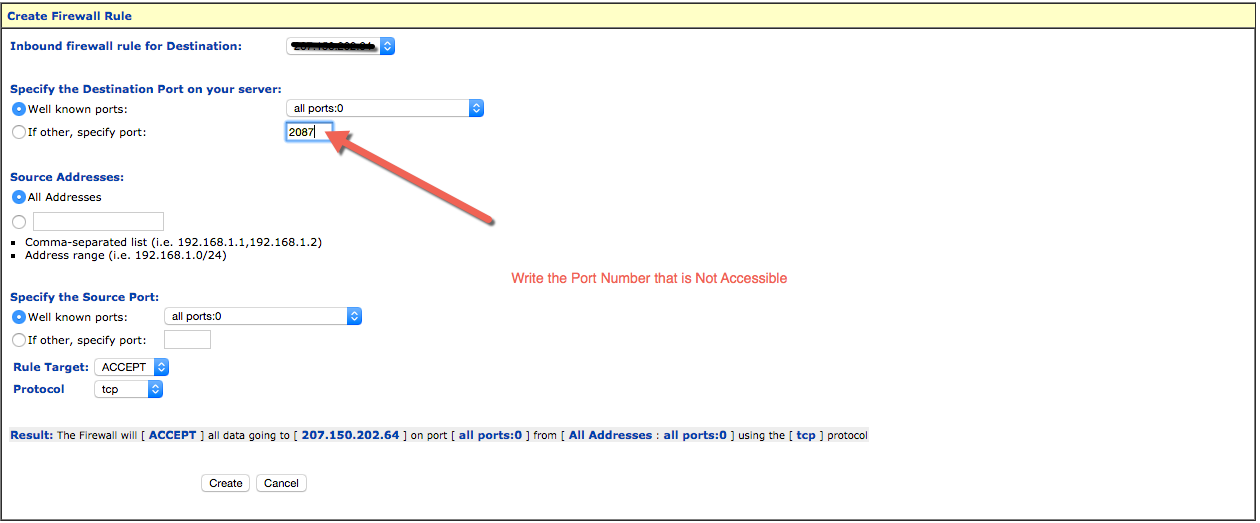
EVERY TIME, I have a new Server from HostWay, I face trouble with WHM Access, I post ticket toHostWay to Resolve the Issue for me. But Now as I know how they do it for me, I should do it myself, getting older, forget things, so sharing it, Now, no chance to forget.  All that I will have to do is enabling the port 2087 in Sentry Firewall.
This is how I do it:

URL: https://my.dedicatedcentral.com
Login with your account password.

Once you are in support center,
1. Go To Sentry Firewall
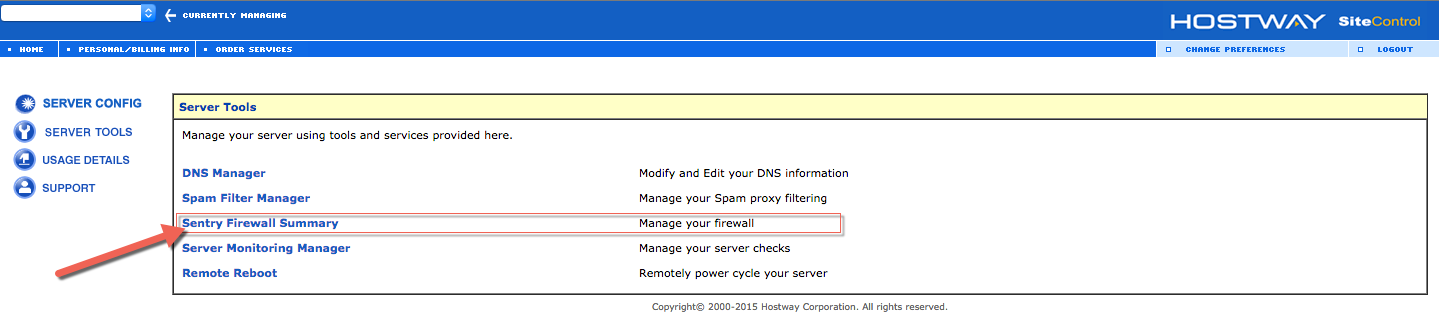
WHM-1

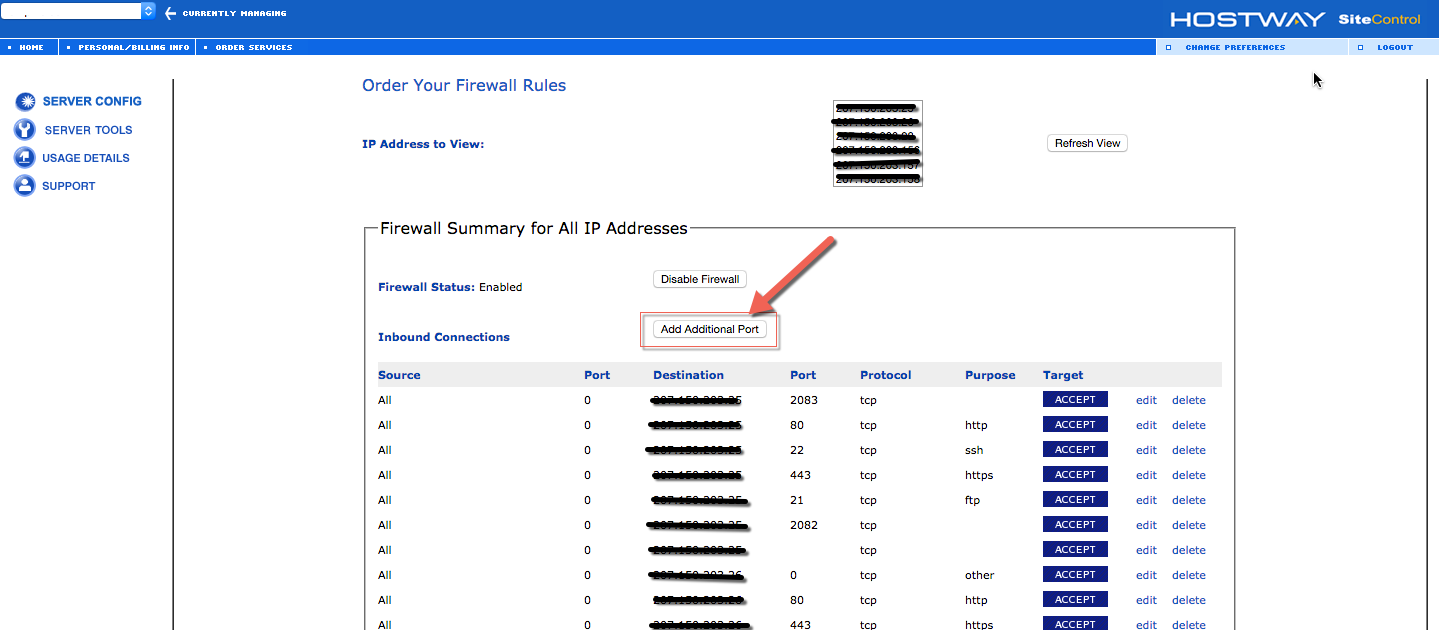
2. Click “Add Additional Port”

WHM-2


3. Add The Port Now

WHM-3


4. You are done

About author

ZERIN

CEO & Founder (BdBooking.com - Online Hotel Booking System), CEO & Founder (TaskGum.com - Task Managment Software), CEO & Founder (InnKeyPro.com - Hotel ERP), Software Engineer & Solution Architect

When its Amazon & When its AWS

If you’re preparing for AWS certifications o...

Read more

How to Connect to Bluehost server using Shell Access

Manually generating your SSH key in macOS To open ...

Read more

How to Run PHP Specific Version for a PHP Script in MacOSX?

Suppose you have a php CLI Script that runs only o...

Read more

There are 0 comments

Leave a Reply

Your email address will not be published. Required fields are marked *